camelCase to snake_case in Python: Four Approaches
Convert camelCase strings to snake_case in Python using regex, str.join, or libraries. Includes code you can paste directly.
- python
- snake case
- camelcase
- string manipulation
- naming conventions
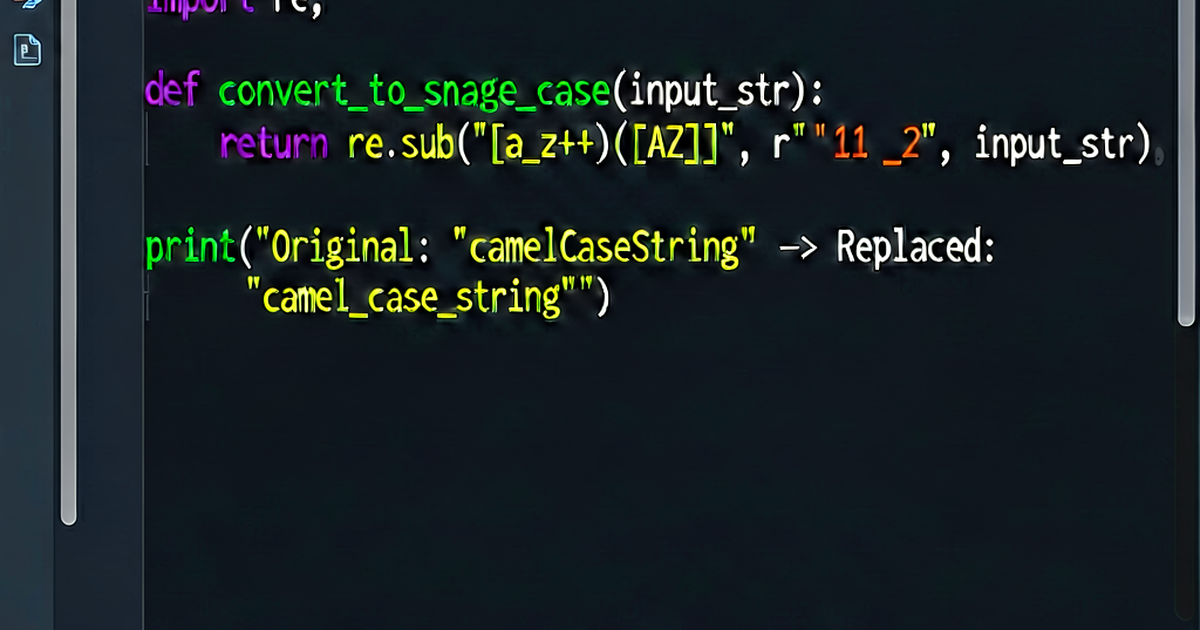

Python’s style guide (PEP 8) is clear: function names and variables should use snake_case. That means if you’re consuming a camelCase JSON API or migrating from a camelCase codebase, you’ll need to convert identifiers at some point.
Here are four approaches, from quick one-liner to production-ready.
1. Regex with re.sub (recommended)
The cleanest general-purpose solution inserts an underscore before each uppercase letter that follows a lowercase letter, then lowercases the whole string:
import re

def camel_to_snake(name: str) -> str:
    # Insert _ before sequences like "aB" → "a_B"
    s1 = re.sub(r'([a-z0-9])([A-Z])', r'\1_\2', name)
    # Also handle sequences like "ABCDef" → "AB_Cdef"
    s2 = re.sub(r'([A-Z]+)([A-Z][a-z])', r'\1_\2', s1)
    return s2.lower()
Examples:
camel_to_snake("firstName")       # → "first_name"
camel_to_snake("getUserById")     # → "get_user_by_id"
camel_to_snake("parseHTTPResponse")  # → "parse_http_response"
camel_to_snake("HTMLParser")      # → "html_parser"
camel_to_snake("myJSONKey")       # → "my_json_key"
The two-pass regex handles both standard camelCase and abbreviation runs (HTTP, JSON, HTML) correctly. Using only one re.sub pass breaks on consecutive capitals.
2. One-liner for simple cases
If your identifiers don’t contain consecutive uppercase letters (no abbreviations), a single regex is enough:
import re

snake = lambda s: re.sub(r'(?<!^)(?=[A-Z])', '_', s).lower()

snake("firstName")    # → "first_name"
snake("getUserById")  # → "get_user_by_id"
snake("parseJSON")    # → "parse_j_s_o_n"  ← breaks on abbreviations
Use this only when you’re confident your input won’t have runs of capitals.
3. Converting dictionary keys recursively
A common real-world need is normalizing JSON from a JavaScript API. The following function walks a nested dict/list structure and converts all keys:
import re

def _to_snake(name: str) -> str:
    s1 = re.sub(r'([a-z0-9])([A-Z])', r'\1_\2', name)
    s2 = re.sub(r'([A-Z]+)([A-Z][a-z])', r'\1_\2', s1)
    return s2.lower()

def camel_keys_to_snake(obj):
    if isinstance(obj, dict):
        return {_to_snake(k): camel_keys_to_snake(v) for k, v in obj.items()}
    if isinstance(obj, list):
        return [camel_keys_to_snake(i) for i in obj]
    return obj
Usage:
data = {
    "userId": 42,
    "firstName": "Alice",
    "address": {
        "streetName": "Main St",
        "zipCode": "12345"
    },
    "recentOrders": [
        {"orderId": 1, "totalAmount": 99.99}
    ]
}

print(camel_keys_to_snake(data))
# {
#   "user_id": 42,
#   "first_name": "Alice",
#   "address": {"street_name": "Main St", "zip_code": "12345"},
#   "recent_orders": [{"order_id": 1, "total_amount": 99.99}]
# }
4. Using a library
If you’re already using inflection or pyhumps, they handle this natively:
inflection:
import inflection

inflection.underscore("firstName")        # → "first_name"
inflection.underscore("parseHTTPResponse") # → "parse_http_response"
pyhumps:
import humps

humps.decamelize("firstName")   # → "first_name"

# Also converts dict keys automatically:
humps.decamelize({"userId": 1, "firstName": "Alice"})
# → {"user_id": 1, "first_name": "Alice"}
pyhumps is particularly useful for Pydantic models or FastAPI because it integrates with the alias generator pattern:
from pydantic import BaseModel
import humps

class UserModel(BaseModel):
    user_id: int
    first_name: str

    model_config = {
        "alias_generator": humps.camelize,
        "populate_by_name": True,
    }

# Now the model accepts camelCase JSON but uses snake_case attributes:
user = UserModel.model_validate({"userId": 1, "firstName": "Alice"})
print(user.first_name)  # → "Alice"
Choosing an approach
| Situation | Recommendation |
|---|---|
| One-off string conversion | re.sub two-pass function |
| Normalizing JSON dict keys | Recursive camel_keys_to_snake |
| Project already uses Pydantic/FastAPI | pyhumps with alias generator |
| General text/identifier work | inflection.underscore |
Edge cases to watch
- Numbers:
camelCase2snake— numbers are treated as lowercase by most implementations.getUserV2→get_user_v2(usually correct). - Already snake_case input: The two-pass regex returns it unchanged.
- Abbreviation handling: Test your regex on inputs like
parseHTTPSURL,myAWSKey,JSONParserto verify you get sensible output. - Leading underscore:
_privateName— the leading underscore is preserved by the regex above.
Quick online conversion
For bulk renaming — renaming a set of variables, converting an API response schema — the caseconvert.io tool converts entire text blocks between camelCase, snake_case, kebab-case, and PascalCase without writing any code.

Related reading
-
camelCase to snake_case in JavaScript: Three Clean Solutions
Convert camelCase identifiers to snake_case in JavaScript using regex, reduce, or a utility library. Includes edge-case handling for abbreviations.
-
camelCase vs snake_case: Which Should You Use?
An honest comparison of camelCase and snake_case: how they work, which languages prefer which, and when to pick one over the other.
-
String to camelCase in JavaScript: The Right Approach
Convert any string to camelCase in JavaScript — from snake_case, kebab-case, spaces, or mixed input. Includes TypeScript types and edge case handling.